SpoorSeek

Follow the trail.Recover the animal.

SpoorSeek records the blood trail on your phone: the shot, every sign you mark, the GPS track and your photos and video. Your hunts are backed up to your account, and you can share a finished one as a link.
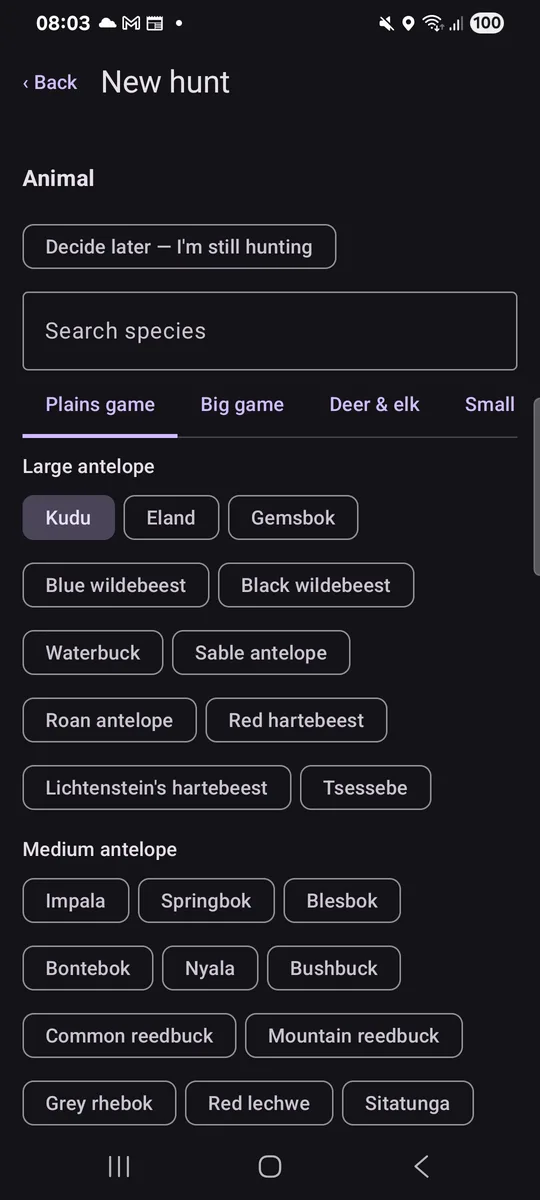
The SpoorSeek new hunt screen with the animal picker open on kudu
Shot Found

From the shot to the recovery

Start tracking the moment you take the shot. Mark blood, tracks and where you lose the trail, and the app keeps the whole route for you.

  • Mark every sign. Drop a mark where you find blood, a track or a lost trail, and add a photo.
  • The GPS track is recorded for you. Your route from the shot to the animal, with distance and time.
  • Works without signal. Hunts are kept on the phone and sync when you are back online. Video waits for Wi-Fi.

Share a hunt. Keep the place private.

Send a finished hunt to a friend, a tracker or the farm owner as a link. They don't need an account, and you can stop sharing any time.

For each link you decide whether the trail is drawn on a satellite map or shown without saying where it was. Location is removed from the photos and videos in both cases.

A shared hunt shows

  • The animal, the day and the weapon
  • The outcome, distance tracked and time to find
  • Your marks, the trail and the photos

It never shows

  • Your name
  • The farm or region
  • Your notes

Your hunts, on any screen

Sign in at spoorseek.com to see the hunts you have backed up, check how much storage you are using, download your data or delete it. You can sign in with email, Google or Apple.

  • Backed up. Hunts, marks, tracks, photos and video are stored on your account.
  • Yours to take or erase. Download everything, or delete your account and all of it with it.

Be ready for the next trail